

Technical Reviewer: Zia ur Rehman
15+ years in embedded systems and industrial IoT · Reviewed
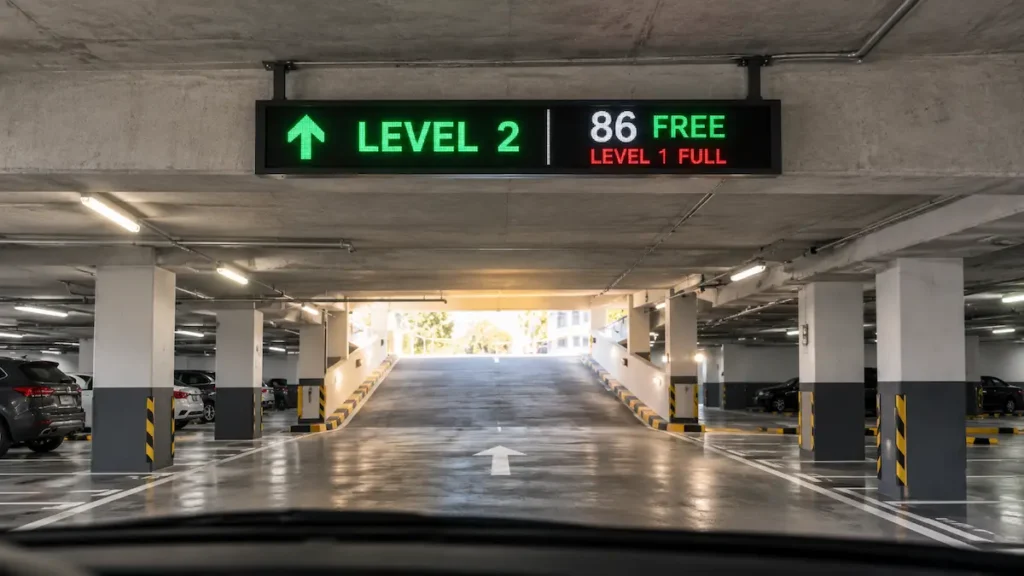
You have mapped the bays, chosen the detection method, and drawn the traffic flow. Then the parking guidance signage stage arrives and the project stalls, because the questions stop being about pixels and start being about physics. After all, is there power at that curb? Meanwhile, will the sign stay readable when the sun drops low behind it? And finally, does a trench really have to cross the forecourt?
Those constraints decide most projects. So this guide compares the three real options on the terms that actually matter: LED parking guidance signs, flip-dot displays, and solar powered signage. Along the way it corrects one piece of folklore that costs buyers money, and it ends with a placement map for every point in a facility. This post sits in the Display layer of the detect, decide, display loop introduced in Parking Guidance Systems Explained. Meanwhile, Detection was settled in Vehicle Counting or Per-Space Sensors? Here, the counts become something a driver can read at speed.
What Is Parking Guidance Signage?
Parking guidance signage is the display layer of a smart parking system: the physical signs that turn live occupancy counts into short, readable messages telling drivers how many spaces are free and which way to go. In short, signage is what makes detection visible. Without it, in fact, a facility holds accurate data that no driver ever sees. Overall, signage does three jobs. First, it collapses the search loop, the slow circling that clogs ramps and irritates visitors. Second, it steers traffic toward open zones and away from full ones before drivers commit. Third, it signals competence, because a site with clear dynamic parking signage reads as managed rather than neglected.
Drivers make parking decisions at four distinct moments, so most facilities place a signage layer at each one:
- The entrance. A total count and a plain yes or no on whether to enter at all.
- The level or zone. A running free count so a driver commits to a floor.
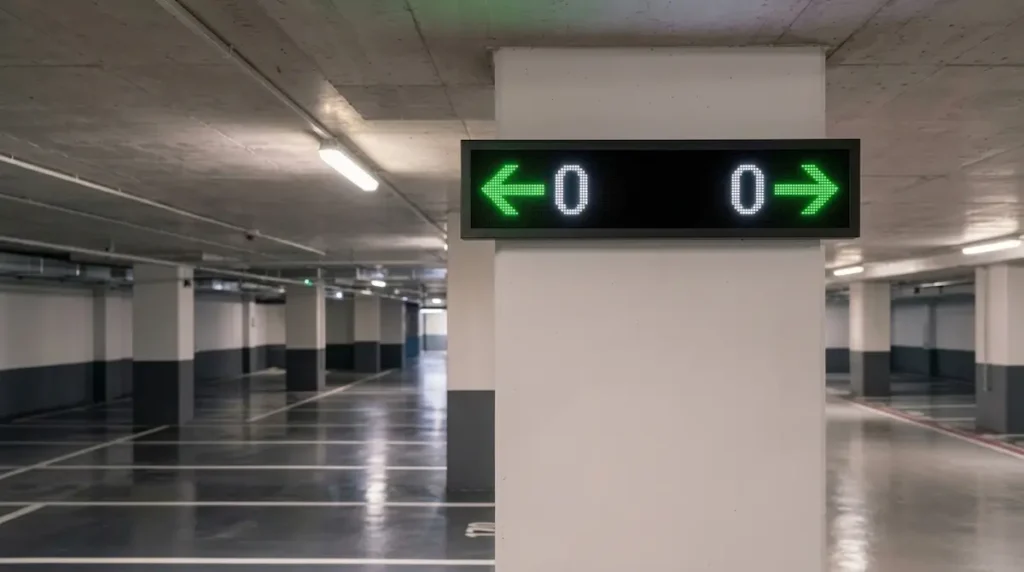
- The aisle. Arrows and short counts that pull cars into open rows.
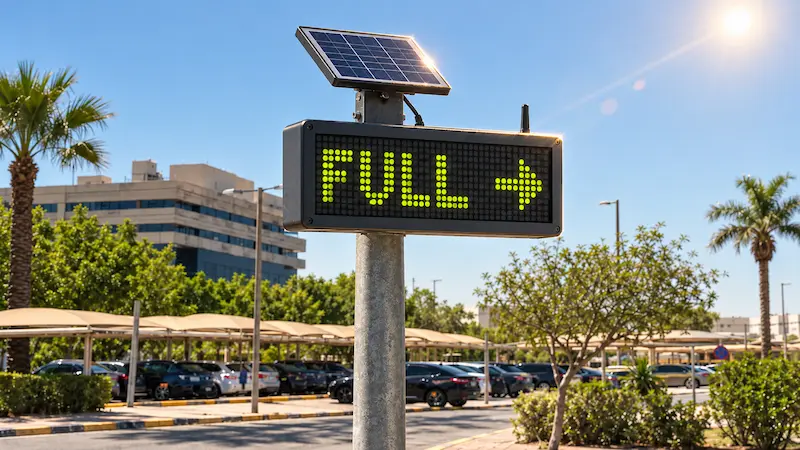
- The curb or single bay. A free or occupied cue at street level.
Each of those four points has a different power supply, a different sun exposure, and a different budget. Therefore no single technology wins everywhere.
Where Does Signage Sit in the Detect, Decide, Display Loop?
Signage is the third step of the detect, decide, display loop, the point where the system stops calculating and starts communicating. Sensors detect, a controller or gateway decides what the current state means, and signage displays it. The loop then repeats, typically every few seconds. That placement matters for two practical reasons. First, signage quality is capped by detection quality, so a sign fed by drifting counts confidently displays a wrong number. Second, the sign is the only part of the system a driver ever experiences, which means the whole investment is judged by it. Consequently, signage deserves the same scrutiny as the sensors covered in Vehicle Counting or Per-Space Sensors?
What Are the Three Display Technologies for Parking Signs?
Three display technologies dominate parking guidance signage, and each earns its place through a different physical property.
LED matrix signs light each pixel actively. As a result, they render full color, animated arrows, live counts and text, and they work equally well after dark. They also draw power continuously, which shapes where they can be mounted.
Flip-dot displays are electromechanical. Each dot is a small disc, dark on one face and reflective on the other, flipped by a magnetic coil. The dots are bistable, meaning they hold position with no power once set. Flip-disc technology was developed specifically for large outdoor signs exposed to direct sunlight, and unlike LED products, which draw a small amount of power constantly, a flip-dot sign consumes power only at the moment the message changes. (Source: Flip-disc display, Wikipedia)
LCD screens are the indoor option. They render photo-quality wayfinding maps and floor plans beautifully, yet they depend on a backlight that struggles against ambient light. Consequently, LCD belongs in lobbies, payment halls and covered decks, never on an exposed curb.
How Do LED, Flip-Dot and LCD Compare Side by Side?
LED wins on richness and night performance, flip-dot wins on power and daylight contrast, and LCD wins only indoors. The table below sets out the eight factors that decide most specifications.
| Factor | LED Matrix | Flip-Dot | LCD |
|---|---|---|---|
| Graphics capability | Full color, animation, logos | Text, digits, arrows | Full color, photo-quality |
| Daylight readability | Good with correct contrast design | Excellent, reflective by nature | Poor, washes out |
| Night readability | Excellent, self-lit | Needs supplementary lighting | Good, backlit |
| Power when static | Continuous | Effectively none | Continuous |
| Viable power source | Mains, or large solar with battery | Small solar with battery | Mains |
| Trenching usually required | Often | No | Yes |
| Moving parts | None | Yes, one coil and disc per dot | None |
| Natural placement | Entrance, level, aisle | Curb, single bay, remote lot | Lobby, payment hall |
Does Sunlight Really Kill Outdoor Parking Screens?
Not the way most buyers assume. The common belief is that midday sun is the enemy, but the U.S. Federal Highway Administration reports the opposite for changeable message signs: the longest measured legibility distances on sunny days occur during mid-day when the sun is overhead. Legibility gets much worse when the sun sits behind the sign face, when it is low on the horizon and shining directly onto the face, and at night. (Source: FHWA MUTCD, Chapter 2L)
So the real variable is sun geometry, not the clock. A sign facing into a low morning or evening sun washes out badly. A sign with the sun behind it forces drivers to read against a bright background. Meanwhile the overhead noon sun, which everyone fears, is comparatively kind because a modest sun hood shades the face. That correction changes how you site a sign: check the sign’s compass orientation and the sun path across the year before specifying brightness, because a well-oriented mid-range display often outperforms a brighter one aimed into the sunrise.
Flip-dot behaves differently again. Because the discs reflect ambient light rather than emit it, more light means more contrast. Bright conditions make a flip-dot sign easier to read, which is exactly why the technology was adopted for outdoor transit and roadside signs in the first place.
What Luminance and Contrast Should a Parking Sign Meet?
Contrast ratio matters more than raw brightness. FHWA guidance for changeable message signs asks that luminance meet industry criteria for both daytime and nighttime conditions, with luminance contrast between 8 and 12 across all conditions. It also sets a standard that such signs automatically adjust brightness under varying light so legibility holds through the day.
Contrast orientation matters too. FHWA guidance calls for positive contrast, meaning luminous characters on a dark or less luminous background, and notes that legibility distances for negative-contrast signs are likely to be at least 25 percent shorter. In practice, that means white or green characters on black, not black text on a lit panel.
One scoping note: the MUTCD governs traffic control devices on public roads in the United States, so it does not bind a private garage in Karachi or Dubai. Nevertheless it is the best-documented public benchmark available for sign legibility, and specifying against it gives a procurement team defensible numbers instead of vendor marketing claims.
Two design rules follow directly. Insist on automatic dimming, because a sign bright enough for daylight becomes a hazard at night. And specify contrast ratio in the tender document, not just a nits figure, since a high-brightness panel with poor contrast still reads badly.
Do You Need to Trench Power, or Will Solar Do?
Power access decides most kerb projects, and it usually decides them before brightness or graphics ever come up. Because an LED matrix draws current continuously, it needs mains power or a substantial solar array with a large battery. A flip-dot sign draws power only when dots flip, so a small panel and a modest battery carry it through long autonomy windows, including cloudy stretches.
That difference lands on a single line item: trenching. Running mains power to a distant curb, a far perimeter row, or the middle of a forecourt means cutting ground, laying conduit, and repaving. Frequently that civil work costs more than the sign, and it adds weeks to the schedule. So the decision reduces to two questions:
- Is mains power already within easy reach? Then LED is straightforward, and full color and animation come along for free.
- Is the sign far from power, or is trenching costly or disruptive? Then a solar flip-dot sign wins, because it skips the trench entirely and mounts on a pole in an afternoon.
Grid reliability is the third question, and it deserves its own weight in South Asian and some Gulf deployments. A mains-only sign goes dark during an outage, which is often exactly when a facility is busiest. An off-grid solar sign with battery backup keeps guiding drivers straight through it.
What IP Rating Do Outdoor Parking Signs Need?
Specify at least IP65 for any sign in an open lot, on a kerb, on a rooftop deck, or anywhere unshaded. An IP65 enclosure is dust-tight and resists water jets from every direction, which covers monsoon rain, wash-down cleaning and blowing dust.
Thermal design matters just as much in hot climates. High-brightness LED panels generate heat, and sustained sun loads them further, so enclosure ventilation protects both service life and color stability. Flip-dot signs carry far simpler electronics and no bright backlight, so they run cooler and demand less thermal engineering. Additionally, confirm the operating temperature range against real site conditions rather than a datasheet ideal, since a rooftop deck in Karachi or Sharjah in June is a harsher environment than most specifications assume.
What Should a Parking Sign Actually Display?
Short, decision-shaped messages. FHWA guidance defines a unit of information as a single answer to a single question a driver can use to make a decision, and recommends no more than four words per unit. Changeable message signs are limited to no more than three lines with no more than 20 characters per line, and a minimum font matrix of five pixels wide by seven pixels high. Those numbers are useful even off the public highway, and they explain why the strongest parking signs read like “LEVEL 3 / 42 FREE” rather than a paragraph.
Short, decision-shaped messages. FHWA guidance defines a unit of information as a single answer to a single question a driver can use to make a decision, and recommends no more than four words per unit. Changeable message signs are limited to no more than three lines with no more than 20 characters per line, and a minimum font matrix of five pixels wide by seven pixels high. Those numbers are useful even off the public highway, and they explain why the strongest parking signs read like “LEVEL 3 / 42 FREE” rather than a paragraph.
Apply three rules:
- One unit of information per line.
- Put the number the driver actually needs first.
- Never run advertising on a guidance sign, since every extra element competes with the message the sign exists to deliver.
Where Should Each Sign Type Go?
Match the technology to the decision point, not to the whole site. Most real facilities mix technologies, and that mix is the honest answer rather than a compromise.
| Location | Recommended sign | Why it fits |
|---|---|---|
| Entrance summary | LED matrix | Full-color totals and status, mains usually close, highest traffic value |
| Level or zone count | LED matrix | Running counts and animated arrows drive floor commitment |
| Aisle direction | Compact LED matrix | Short counts and arrows pull cars into open rows |
| Kerb or single bay | Solar flip-dot | Off-grid, sun-favouring, trench-free, survives outages |
| Remote perimeter row | Solar flip-dot | No power, no trench, low maintenance load |
| Lobby or payment hall | LCD | Photo-quality maps in controlled light on mains power |
A shopping centre, for example, might run bright LED counts at the entrance and on every deck, then place solar flip-dot signs along an outdoor perimeter row where no power reaches. One system, two display technologies, each doing what it is physically good at.
How Does Signage Move a Site Up the Parking Visibility Ladder?
The Parking Visibility Ladder is a three-stage model describing how a parking facility matures from no data to full optimization. The stages are blind, guided, and optimized, and a site must climb them in order, because no operator can optimize what they cannot see, or guide drivers to spaces they have not detected. The framework is defined in full in What Is Smart Parking?.
No live data. Drivers guess, staff count manually.
Sensors and signage arrive. Drivers get directed to open spaces.
Dynamic pricing, reserved zones, cross-site coordination.
Signage is the mechanism that completes rung two. A facility with sensors but no signs holds live data while its drivers remain blind, which means it has paid for detection without collecting the benefit. Guided status arrives only when the count reaches a windscreen. Rung three changes the signage requirement again: optimization brings dynamic pricing, reserved zones, event modes and cross-site coordination, and those need a display that can carry variable text and color rather than a fixed occupancy cue. That is the practical argument for full-matrix LED at primary decision points, even where a simpler sign would serve today.
What Changes for Pakistan and Gulf Sites?
Both markets share three constraints that reshape a signage specification: intense sun, airborne dust, and largely uncovered parking.
Pakistani facilities mostly sit on the blind rung today, so the first signs installed carry unusually high value, and the biggest gain is simply making live counts visible at the gate. Grid reliability tips the balance further, because load-shedding makes off-grid solar signage more attractive at kerbs and perimeters than a purely commercial comparison would suggest. Budget pressure also favours a mixed deployment: a small number of LED signs at the highest-traffic decision points, with flip-dot filling the rest.
Gulf projects more often start further up the ladder, and flagship city developments raise the local expectation for what guidance should look like. Full-matrix LED at entrances and decks reads as standard there rather than premium. Heat, however, is the harder constraint, so enclosure ventilation and verified operating temperature ranges matter more than they would in a temperate climate.
For both markets, dust is the quiet maintenance issue. Reflective signs lose contrast as their faces dust over, and solar panels lose yield the same way, so build a cleaning interval into the operating plan rather than discovering it in the second summer.
Which IoTize Signs Fit Each Job?
IoTize builds the two workhorses the placement map calls for, both live and both fixed-price, so a full site can be specified from one supplier.
Smart Indoor LED Signage Display (1000 x 200mm)
Full-color 192×32 LED matrix for entrance, level and aisle guidance, connected over IoT to live bay counts.
View Product →Smart Parking Flip-Dot Guidance Signage (7×20)
Wireless, solar and battery powered, IP65-rated, customizable sizes, no trenching required.
View Product →Both signs are fed by the detection layer covered in Vehicle Counting or Per-Space Sensors? and aggregated by the Parking Guidance Gateway. To see the sensors, gateway and signs working as one system, visit the Smart Parking solution page.
Key Takeaways
- Parking guidance signage is the display layer of the detect, decide, display loop, and it is the only part of the system drivers ever experience.
- Sun geometry beats time of day. FHWA data shows legibility is worst with a low sun on or behind the sign face, not at overhead noon.
- Specify luminance contrast, ideally between 8 and 12, plus automatic dimming and positive contrast, rather than a bare nits figure.
- Flip-dot dots are bistable, so they hold a message on effectively no power and gain contrast in bright light, which suits off-grid kerbs.
- LED matrix earns its place where mains power exists and full color, animation and variable messaging matter.
- Trenching cost, not sign cost, decides most kerb projects.
- Specify IP65 or better outdoors, and verify operating temperature against real rooftop and open-lot conditions.
- Keep messages to one unit of information per line, four words or fewer per unit.
- Signage is what completes rung two of the Parking Visibility Ladder, converting detection into guidance.
Where to Go Next
Signage choice sets what your drivers see. Venue type sets where those signs go, how many you need, and which failure modes matter, and a hospital behaves nothing like an airport or a mall. Continue with Parking Guidance Systems for Malls, Hospitals, Airports and Campuses. If you would rather price a real layout, view the products above or Talk to Our Team to scope a mixed-technology site end to end.
Ready to Spec Your Parking Guidance Signage?
Talk to our team about mixing LED and solar flip-dot across your entrances, levels and kerbs.
Frequently Asked Questions
What is parking guidance signage?
Parking guidance signage is the display layer of a smart parking system: signs that convert live occupancy counts into short readable messages showing how many spaces are free and which way to go. It sits at entrances, levels, aisles and kerbs, and it is the only part of the system drivers actually see.
What is the difference between LED and flip-dot parking signage?
LED signs light each pixel actively, so they show full color and animation day or night, but they draw power continuously. Flip-dot signs use bistable magnetic discs that hold their message with effectively no power and gain contrast in bright light, though they display only text, digits and arrows.
Are flip-dot displays readable in direct sunlight?
Yes. Flip-dot discs reflect ambient light rather than emit it, so stronger light increases contrast instead of washing the sign out. Flip-disc technology was developed specifically for large outdoor signs normally exposed to direct sunlight, which is why it appeared on transit and roadside displays.
Do outdoor parking screens really fail at midday?
Not primarily. FHWA reports that for changeable message signs, the longest legibility distances on sunny days occur at mid-day with the sun overhead, while legibility drops sharply when the sun is low on the horizon shining on the face or sitting behind the sign. Orientation matters more than the clock.
What brightness or contrast should a parking guidance sign meet?
FHWA guidance for changeable message signs asks for luminance contrast between 8 and 12 in all conditions, positive contrast with luminous characters on a dark background, and automatic brightness adjustment as light changes. Specify contrast and auto-dimming in the tender, not a nits figure alone.
Do parking signs always need trenching for power?
No. LED signs generally require mains power, which can mean trenching to a distant kerb. Solar and battery powered flip-dot signs avoid that civil work entirely, mounting on a pole in an afternoon, which is why they suit remote bays, perimeter rows and outage-prone grids.
What IP rating do outdoor parking signs need?
Specify at least IP65 for open lots, kerbs and rooftop decks, since that rating is dust-tight and resists water jets from any direction. Also confirm the operating temperature range against real site conditions, because uncovered decks in Pakistan and the Gulf exceed many datasheet assumptions.
Can one parking site mix LED and flip-dot signage?
Yes, and most well-designed sites do. LED belongs at powered entrances, levels and aisles where color and animation earn their cost, while solar flip-dot handles off-grid kerbs and perimeters. Matching each technology to its decision point costs less than standardizing on either one.
Products: Smart Indoor LED Signage Display · Smart Parking Flip-Dot Guidance Signage
Read next: Parking Guidance Systems for Malls, Hospitals, Airports and Campuses
From the blog: Visit the IoTize blog →