

Technical Reviewer: Zia ur Rehman
15+ years in embedded systems and industrial IoT · Reviewed
Machine utilization tracking measures how much of a shift a machine actually spends producing, and it reports the answer in real time: how long the machine worked, how long it sat idle, how much it produced, and when it stopped. Most plant managers can describe yesterday in feelings, not numbers.
The line “ran most of the day,” and output was “about where it should be.” Utilization tracking replaces those feelings with runtime, idle time, output, and stop events from each machine, which turns a shift-end guess into live shop floor monitoring.
This guide keeps it plain. First, we define machine utilization tracking and show where it fits inside production monitoring. Then we explain how machine runtime monitoring works without replacing the machine. Finally, we walk through exactly what belongs on the dashboard, one signal at a time.
What Is Machine Utilization Tracking?
Machine utilization tracking is the practice of measuring a machine’s real working time against the time it was available to work, using a small sensor that streams runtime, idle time, output count, cycle speed, and stop events to a live dashboard. The result is one plain percentage per machine, line, and shift, plus the detail behind it. The goal is simple: visibility. You cannot improve what you cannot see.
The basic formula is just as simple: utilization equals actual run time divided by available time. A machine that runs 6 hours in an 8-hour shift is at 75% utilization. If you measure against planned production time rather than the full clock, that same ratio becomes the Availability factor of OEE.
For decades, that visibility lived on a clipboard. An operator jotted a rough tally, and a supervisor typed it into a spreadsheet after the shift ended. However, that method misses the short jams, the long changeover after lunch, and the twenty minutes spent chasing a part. Those minutes never reach the report, so they never get fixed. Utilization tracking reports them as they happen instead.
Utilization tracking is the core job of a complete production monitoring system, and because the data is live and structured, it can flow into OEE dashboards, SCADA, MES, or your own cloud. Still, production monitoring and OEE are not the same thing. Production monitoring measures what actually happened on the machine. OEE scores that reality against a target, using Availability, Performance, and Quality.
Therefore, think of production monitoring as the foundation: it produces the honest numbers first, and OEE grades them second.
The same live view serves three people at once: the supervisor sees which line is weak right now, the maintenance lead sees which machine stops most, and management sees real utilization instead of an optimistic tally. In practice, most factories start narrow. They pick one machine, make its output visible, and expand from there.
That is why shop floor monitoring so often begins as a single counter on a single line, not a plant-wide rollout on day one.
How Is Machine Utilization Measured Without Replacing the Machine?
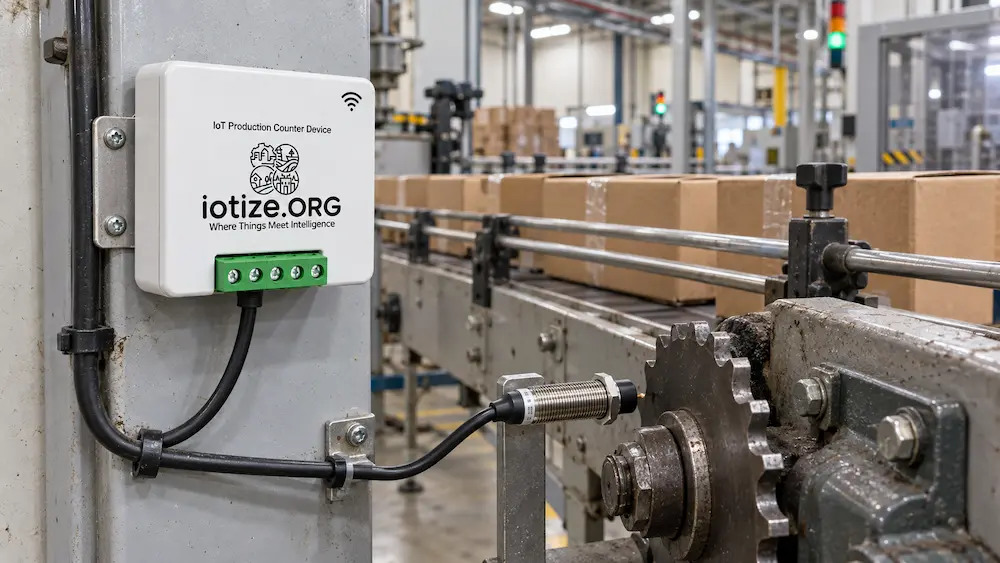
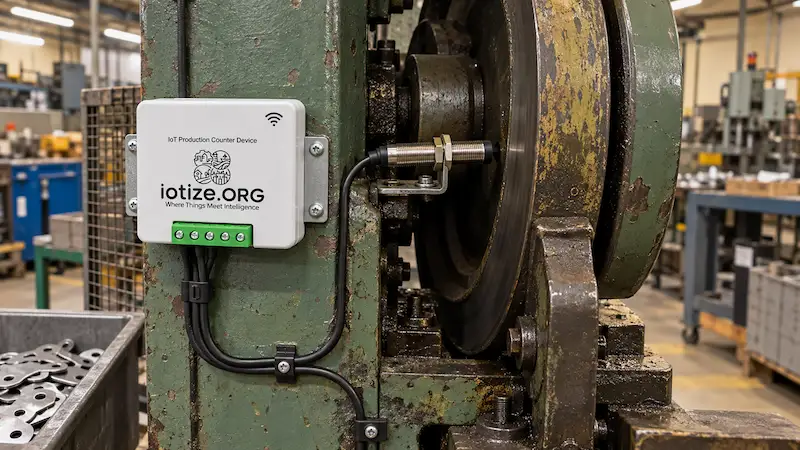
Machine utilization is measured by sensing the machine’s own motion, not by rebuilding its controls. A non-invasive production counter mounts on or beside the machine, detects a moving element, and counts each cycle at the edge. As a result, there is no new PLC program, no need to replace the control system. Installation details and any downtime depend on the machine. Old machines, hand-fed machines, and modern automated cells can all report the same way.
This retrofit approach is well documented. In a 2025 peer-reviewed study across more than 50 machines in over 20 UK manufacturing facilities, researchers used non-invasive current sensing to classify machine states as off, idle, or working, and measured machine utilization ranging from just 30% to 65% (_Journal of Manufacturing and Materials Processing_, 2025). Those figures are shown for context, not as a guarantee of your results.
Even so, they match what most plants find once they start counting: a machine that looks busy is often waiting for material, an operator, or an upstream step. That study read current rather than motion, but the principle behind every retrofit is the same: measure a signal the machine already produces, without touching its controls.
So how does the counter actually detect a cycle? Two sensing methods do most of the work in industry:
- Inductive proximity sensing. A small barrel sensor detects a moving metal element, such as a sprocket, cam, crank, or shaft. One pass can represent a unit after calibration. Because it reads metal, you aim it at the machine’s own moving steel, not at cardboard or plastic on a belt.
- Incremental encoder sensing. An encoder reads A/B/Z signals for high-resolution count, cycle speed, and direction, which lets the system separate productive strokes from reverse motion and corrections.
The Affordable IoT Production Counter ($80) uses a proximity or Hall input for exactly this kind of fast retrofit. Which sensing method fits your specific machine is its own decision, and we cover it in detail in Proximity Sensor or Encoder? Choosing How to Count Output.
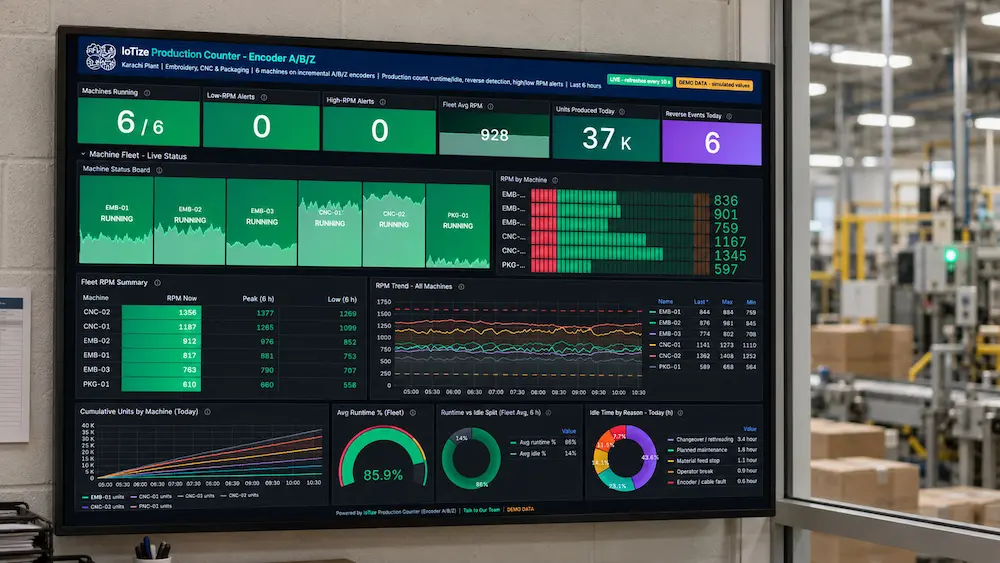
So what should the resulting dashboard show? Five signals do most of the work. Here they are at a glance, then one at a time.
| Signal | Measures | Reveals |
|---|---|---|
| Runtime | Actual producing time | True working hours against a planned shift |
| Idle time | Powered on without production | Waiting for material, operators, or upstream work |
| Downtime | Stops within planned production time | Duration and frequency of breakdowns, changes, and small stops |
| Output count | Events mapped to units after calibration | Progress toward the shift target |
| RPM / cycle speed | Operating speed | Slow running or abnormal speed alerts |
What Does Runtime Tell You on a Production Dashboard?
Runtime is the clock that counts only while the machine is truly working. It is the backbone of machine runtime monitoring, and it is usually the first number that exposes hidden capacity. When you compare runtime against the hours you planned to run, the gap is instantly visible.
For example, a line scheduled for eight hours might show six hours and twelve minutes of true runtime. That gap of nearly two hours is not a rounding error. It is unplanned stops, slow starts, and waiting, all of which used to hide inside a vague “ran most of the day.” Once runtime is live, supervisors can act during the shift instead of reading about the loss the next morning.
Why Does Idle Time Matter More Than It Looks?
Idle time is the machine powered on but not producing, and it is often the single largest hidden loss on the floor. A machine can hum all day and still make very little, because it spends long stretches waiting for material, an operator, or an upstream process.
Idle time is deceptive precisely because the machine looks alive. Nothing is broken, so nobody raises an alarm. However, the peer-reviewed study cited above found that on several machines, idle periods accounted for a disproportionately high share of total energy consumption, because a waiting machine still draws power. Even short idle phases add up once you total them across a week.
Therefore, tracking idle time separately from downtime turns “the machine was on” into a number you can attack, one shift at a time.
What Counts as Downtime, and How Is It Tracked?
Downtime is any stretch when the machine should be running but is not, from a long breakdown to a ninety-second jam. A production monitoring system timestamps every stop automatically, so you get when a stop happened, how long it lasted, and how often it repeats.
That automatic log matters because manual records miss the small stops. A single ninety-second jam feels trivial. Repeated forty times a shift, it quietly erases real output. As a result, ranked stop data lets a team fix the most expensive cause first, rather than chasing the loudest complaint. In short, downtime tracking is what turns “it kept stopping” into “the infeed jams cost us forty-two minutes today.”
How Is Production Count Measured on the Line?
Production count is the running tally of units the machine has made, measured directly from its motion rather than typed in by hand. After configuration, each detected event contributes to the count, so the number on the dashboard reflects real output, not an end-of-shift estimate.
Live count is powerful because it lets you catch a missed target during the shift, while you can still recover it. However, one honest limit applies here. A counter measures units and machine state, not product quality. It cannot tell a good part from a reject on its own. To calculate the Quality factor of OEE, you feed it a good-versus-reject signal or connect inspection data.
So production monitoring gives you availability and output first, which is the visibility layer, and quality data is a separate input layered on top.
What Do RPM and Speed Alerts Catch Early?
RPM, or cycle speed, is how fast the machine is running, and high or low RPM alerts flag trouble before it becomes scrap or a stoppage. A speed that drifts below the ideal rate quietly bleeds output. A speed that spikes too high can signal an abnormal process or a quality risk.
Because these alerts fire in real time, the team responds while the issue is small. For instance, a low-RPM alert on a packaging line can prompt a check for a blocked chute before a full stop. In this way, high and low RPM alerts act as an early-warning layer on top of the plain count.
Which IoTize Devices Track Machine Utilization?
You do not need a new machine to start machine utilization tracking. You need a counter that reads the machine you already own. IoTize offers two, and the right one depends on how much precision and integration the machine demands.
The Affordable IoT Production Counter ($80) is the fast entry point. It uses a proximity or Hall input to track output, runtime, idle time, and high or low RPM alerts, and it connects over Wi-Fi with HTTP and MQTT. It suits simple, legacy, and hand-fed machines, and the page lists it at $80 with Add to Cart. Confirm sensor fit and installation with IoTize before ordering.
The Enterprise IoT Production Counter (from $160, quote-configured) is the precision option. It reads incremental encoder A/B/Z signals for high-resolution count and direction, detects forward and reverse motion, and supports Ethernet or Wi-Fi plus Modbus TCP for direct SCADA or MES integration. It fits textile, CNC, robotics, packaging, and molding lines where exact counts, direction, and system integration matter.
| Feature | Affordable counter | Enterprise counter |
|---|---|---|
| Displayed price | $80 | From $160, quote configured |
| Sensing | Hall or proximity | Incremental encoder A/B/Z |
| Measures | Output, runtime, idle, RPM alerts | High resolution count, runtime, idle, reverse, RPM alerts |
| Direction | Event count | Forward and reverse |
| Power | 12 V DC | 12 to 24 V DC |
| Connectivity | HTTP and MQTT, network option to confirm | Ethernet or Wi-Fi, HTTP, MQTT, Modbus TCP |
| Best fit | Simple or legacy machines | Precise count, direction, or SCADA/MES integration |
Both counters are one-time hardware purchases. To view the data, you can use the hosted IoTize monitoring platform, where Cloud Starter begins at $29 per month, or deploy on a private cloud, on-premises, or straight into your own SCADA, MES, or cloud. The right plan depends on device count, data history, and dashboards.
One honest note before you choose. Both counters measure count, runtime, idle, and speed, which is the availability and output side of the picture. Neither one judges quality on its own, so full OEE still needs a separate good-versus-reject input. In that sense, a production counter is the honest first step: it makes the machine visible, and everything else builds on that visibility.
Affordable IoT Production Counter
Hall or proximity input for count, runtime, idle time, and RPM alerts.
View Product →Enterprise IoT Production Counter
Encoder A/B/Z input for high resolution count and direction.
View Product →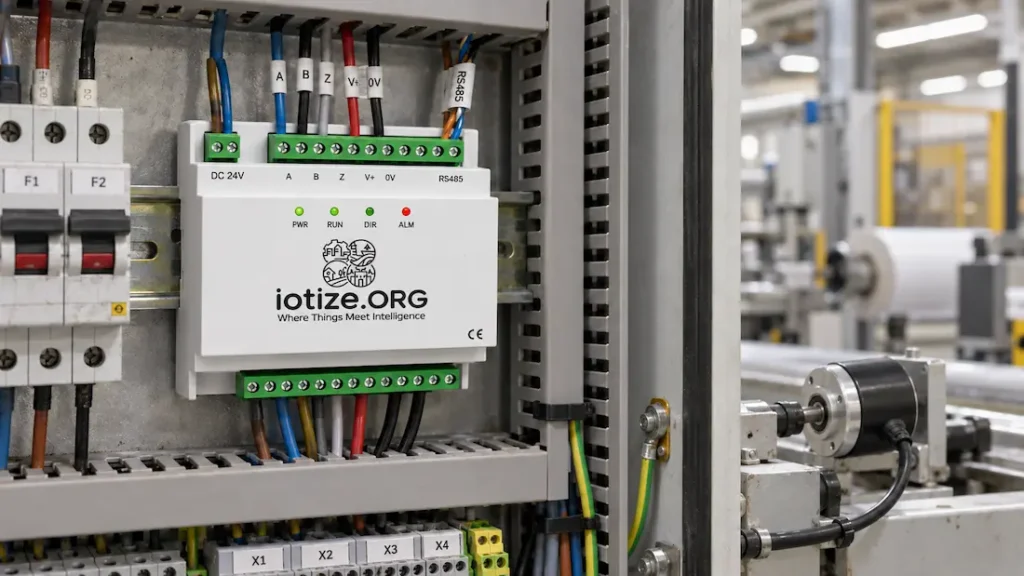
How Do You Start Tracking Machine Utilization?
You start machine utilization tracking with one machine, not the whole plant. Pick the line where missed targets hurt most, fit a counter, and bring its runtime, idle time, and output live. Then rank the biggest loss, fix it, and repeat on the next machine. Use the results from that first line to decide where to expand next.
For example, a Karachi packaging plant might fit one Affordable counter to the line that misses target most often. Within a week, the dashboard shows that line losing close to an hour every shift to repeated short infeed jams that no clipboard ever captured. The team checks the infeed, addresses the cause, then applies the same method to another machine. _Representative scenario, shown for illustration, not a specific customer._
This phased path is the whole point of retrofit hardware. Because a counter reads the machine you already own, you can test useful data on one line and scale as the results justify it. When you are ready to see the full picture, including OEE math, the Six Big Losses, and a counter selector, the OEE and production monitoring solution page lays it out step by step.
Finally, remember that production monitoring answers one question: how much does the machine make? To learn why a machine stops, pair it with predictive maintenance and condition monitoring for vibration, temperature, and current trends. Together, they turn a blind machine into one you can actually manage.
Read Next: Proximity Sensor or Encoder? Choosing How to Count Output
Want help picking the right counter for your machine? Talk to Our Team.
Make One Machine Visible
Start with your hardest line. Discuss the right sensor, counter, and dashboard for a machine utilization tracking pilot.
Frequently Asked Questions
What is machine utilization tracking?
Machine utilization tracking measures how much of its available time a machine actually spends producing. A small retrofit sensor streams runtime, idle time, downtime, output, and speed to a live dashboard, replacing end-of-shift guesswork with real numbers for each machine, line, and shift.
Is production monitoring the same as OEE?
No. Production monitoring measures what actually happened on the machine. OEE scores that reality against a target using Availability, Performance, and Quality. Production monitoring is the foundation that produces the honest numbers, and OEE grades them. The production monitoring solution page covers the full OEE math.
How do you calculate machine utilization?
Divide actual run time by available time. A machine that runs 6 hours in an 8-hour shift is at 75% utilization. A low number reveals hidden capacity you already pay for, often lost to idle time and small stops rather than true breakdowns. Measured against planned production time, the same ratio is the Availability factor of OEE.
What is the difference between runtime and idle time?
Runtime is the time the machine is truly producing. Idle time is the machine powered on but waiting, for material, an operator, or an upstream step. Tracking them separately shows whether a busy-looking machine is actually making product.
Do I have to replace my machine to monitor production?
No. A production counter is a non-invasive retrofit. It senses a moving element on the machine and counts at the edge, without a new PLC program or control rewiring. Old, hand-fed, and modern machines can all be monitored the same way.
What belongs on a production monitoring dashboard?
At a minimum, five signals: runtime, idle time, downtime, output count, and RPM or cycle speed. Together they show how much a machine made, how much time it wasted, when it stopped, and whether it ran at the right speed.
How is machine downtime tracked automatically?
The counter timestamps every stop as it happens, recording when it started, how long it lasted, and how often it repeats. This captures the short, repeated micro-stops that manual clipboards almost always miss, so teams can rank and fix the most costly cause first.
Explore: Production monitoring solution · Affordable counter · Enterprise counter
From the blog: Visit the IoTize blog →