

Technical Reviewer: Zia ur Rehman
15+ years in embedded systems and industrial IoT · Reviewed
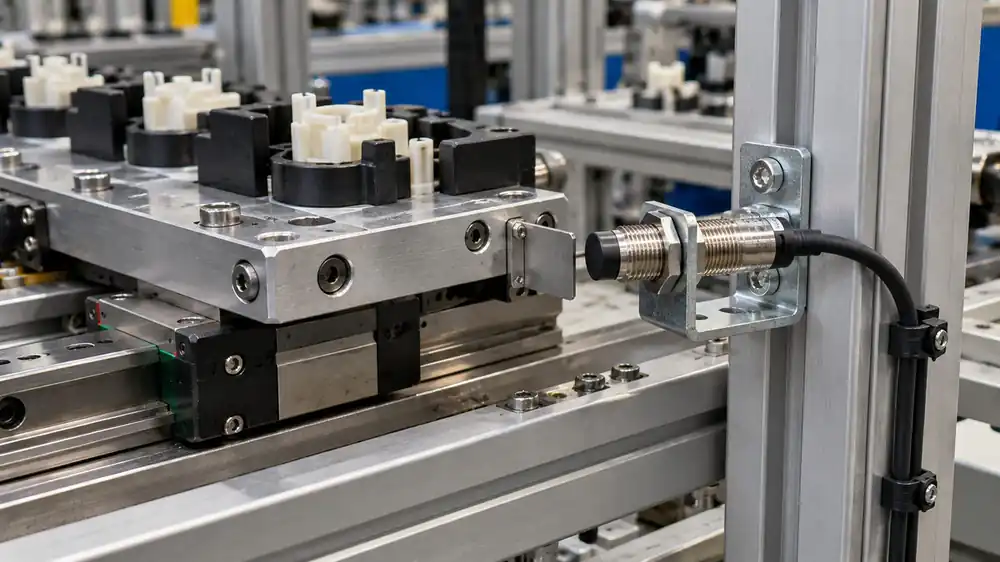
An embroidery machine can run all shift and still leave the production manager with a basic question: how much usable work did it actually produce? A shaft pulse, a stitch displayed by the controller and a finished length of fabric answer different questions. Treating them as the same number creates a confident-looking report that nobody on the floor trusts.
Short answer: Count a verified machine event, map it to a defined output unit, and apply the correct job settings. On Schiffli machines, estimate aggregate needle stitches only for intervals with a known engaged-position count. Record completed panels and quality decisions separately, because a motion pulse cannot confirm acceptable embroidery.
For a textile factory considering embroidery production monitoring, the first decision is the unit of output. Once that is clear, a stitch counter or retrofit sensor can give you useful shift data without pretending to measure finished quality from machine movement alone.
What exactly should an embroidery counter count?
First, before specifying a sensor, write down the metric and its unit. A practical embroidery shop may need several measures at once:
- Machine cycles or detected revolutions: What it answers: How many qualifying motions occurred?; What it does not prove: How many needles stitched, or whether material passed inspection..
- Programmed stitch progress: What it answers: How far did a design advance on the controller?; What it does not prove: That every active position formed a sound stitch..
- Estimated aggregate needle stitches: What it answers: Approximate work across engaged needles during each counted stitch cycle.; What it does not prove: Verified good stitches at every needle..
- Completed repeats, panels or garments: What it answers: How many defined jobs finished?; What it does not prove: Whether each item meets quality requirements..
- Good output: What it answers: How many accepted pieces or lengths are ready for the next stage?; What it does not prove: A value a single motion sensor can usually establish by itself..
In practice, if the target is stitches per design, the machine program may already know its planned count. If the target is actual machine activity, sense a repeatable motion. If the target is saleable panels, add a completion and quality check. These measures can be connected, but they should retain separate names on a dashboard.
How counting differs across textile machines
The same counter principle can serve different processes, but the meaning of one count changes with the machine. Therefore, agree on the reporting unit before selecting hardware.
| Machine or process | Useful measurement | What must be checked |
|---|---|---|
| Schiffli embroidery | Eligible stitch cycles and estimated needle stitches | Engaged positions for each job interval; non-stitch motion; completed fabric and quality recorded separately. |
| Multi-head embroidery | Design progress, active sewing heads and completed items | Colour-change needles on one head are not all sewing simultaneously. Do not multiply by every needle installed on the machine. |
| Weaving loom | Valid picks and fabric length | A pick count is not a metre count. Conversion requires the appropriate pick density and validation against produced fabric. |
| Fabric inspection or winding | Length passing a calibrated measuring wheel or roller encoder | Effective circumference, slip, tension and reverse travel; a growing take-up roll does not have a fixed circumference. |
For example, a controller may already report design progress. Tajima’s networking documentation describes stitch-rate and production reporting on supported machines. Consequently, check available controller data before adding a sensor. For fabric inspection, Electrocom’s length-counter documentation describes encoder measurement with forward and reverse fabric travel.
However, frame movement is not finished fabric length on an embroidery machine. The frame can move in several directions to form a motif. A measurement method that works on a fabric inspection line cannot simply be copied onto that frame.
Why multi-needle Schiffli machines complicate the count
In practice, a Schiffli machine can stitch one design at many needle positions at the same time. Yet the set of engaged needles changes with the design repeat and machine setup. Wilcom’s Schiffli repeat documentation explicitly distinguishes designs stitched by every needle, every second needle or every third needle.
Consequently, one measured stitch cycle is not automatically one total needle stitch. Here, a valid stitch cycle means one machine cycle verified as a stitching event under the agreed counting rule. Exclude setup and other non-stitch movements; log rework separately so it does not inflate new-output progress. For an interval with a fixed set of engaged needles:
Estimated aggregate needle stitches = valid stitch cycles × engaged needles per cycle.
For example, suppose a representative, illustrative machine makes 1,000 confirmed stitch cycles while 120 positions are engaged. The estimated aggregate is 120,000 needle stitches. If the next job engages only 60 positions, the same 1,000 cycles give an estimate of 60,000. Neither figure certifies that every stitch formed correctly, and neither is a finished-piece count.
If both intervals belong to one report, add their estimates: 120,000 + 60,000 = 180,000 estimated needle stitches across 2,000 cycles. Do not apply the final 60-position setting to the entire report. Store each setting change with its job and effective time.
However, some motions may be setup, jogging or non-stitch movements. Reverse motion, design changes, skipped positions and rework also need explicit handling. Before multiplying anything, confirm on the actual machine that the chosen pulse truly represents one eligible stitch cycle. A shaft rotation alone is only a mechanical signal until that mapping is tested.
Where should the counter sense a cycle?
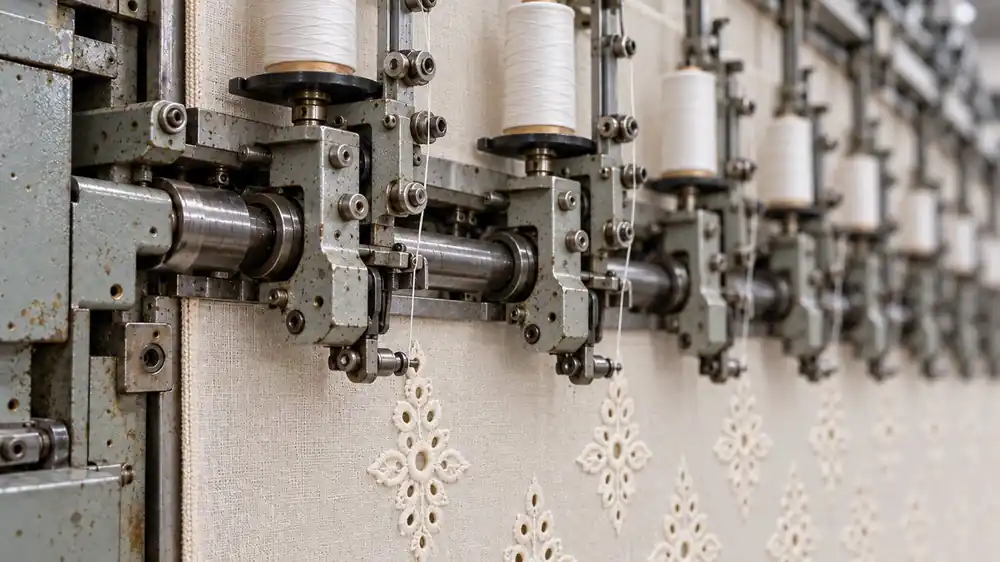
First check whether the machine controller already exposes a trustworthy stitch or production signal that can be accessed safely and with permission. If it does, compare that signal against the machine’s displayed count during a short job. If it does not, a separate retrofit sensor can observe a suitable moving member without altering the control program.
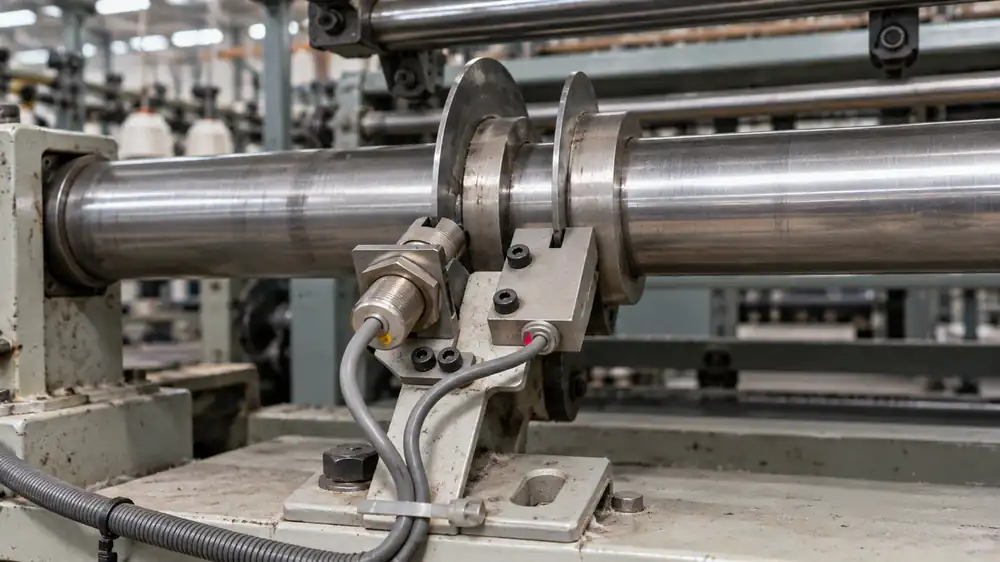
For a retrofit, a Hall-effect sensor needs a suitable magnetic arrangement, commonly a securely mounted magnet. An inductive proximity sensor detects a suitable metal target. A painted shaft mark alone is not enough for either arrangement. Match the sensor, target and mounting gap to their specifications; see ifm’s inductive sensing guidance and TI’s Hall-effect sensing overview. The sensor position, marker count and pulse filtering determine whether one detected event maps to one relevant cycle.
An encoder can provide finer information, including direction where its signals and processing support it, but extra resolution does not by itself turn rotations into finished pieces.
Direction is a separate question. An A/B encoder can distinguish rotation direction when correctly decoded; its Z channel is an index reference. However, shaft reversal is not automatically a controller stitch-back command or evidence of defective work. Validate those relationships before subtracting counts or classifying rework.
Meanwhile, an existing sensor on the machine may serve a safety interlock, position reference or thread-break system. Do not assume its output can be reused: its electrical interface, pulse timing, ownership and effect on the original control must all be checked. A dedicated production sensor may be the cleaner choice when those details are unavailable.
A practical commissioning test for textile production tracking
In practice, the cheapest counting mistake is the one you catch on a single machine before extending it across a floor. Run a short, documented trial:
- Name the output unit. Decide whether the report needs cycles, design stitches, estimated aggregate stitches, completed repeats, metres, panels or accepted pieces.
- Record the machine setup. Log design ID, engaged needle configuration, number of heads or positions, intended output unit and any known non-stitch motions.
- Check the electrical and speed limits. Confirm supply voltage, NPN/PNP or other output type, input compatibility, pulse width and maximum input frequency. Account for all targets per revolution and the encoder decoding mode. Then check for missed or doubled counts at normal and maximum operating speed.
- Compare counts during a controlled run. Note the counter reading, machine display and operator observation at the start and end. Include a stop, restart, job change and any intentional reverse or jog action.
- Separate production from quality. Have the operator record completed items and reject/rework decisions. A pulse does not inspect embroidery.
- Set time and data rules. Define planned production time, shift boundaries and the stop threshold. Keep “data unavailable” separate from “stopped”. Test count retention, resets and reconnection; do not assume buffering or recovery unless verified.
- Validate with the floor team. If a shift total conflicts with the actual fabric or job sheet, resolve the mismatch before treating the dashboard as an authority.
For example, a running machine can record valid stitch cycles while a broken thread leaves one position defective. The counter may correctly report motion, while the quality total must come from an inspection or another verified signal. That distinction is essential when someone asks the system for OEE: availability and performance need sound timing and output definitions, and the quality factor needs accepted and rejected output.
Therefore, for OEE, keep the production and quality units consistent. Do not combine a stitch-cycle performance figure with a panel-based quality ratio without a validated model that connects them. If inspection happens later, assign the outcome to the originating job or batch rather than whichever shift received the result.
In addition, a separate counter can record rejected panels after a reliable inspection or reject-routing decision. For example, 100 completed panels and 8 first-pass rejects imply 92 first-pass good panels, provided every panel is counted once in the same batch. The reject counter records that decision; it does not inspect the stitches.
What is measured, calculated or entered?
- Detected pulses: Source: Sensor or controller input; Required context: Target count, pulse validity and resets..
- Eligible stitch cycles: Source: Validated conversion and event filtering; Required context: Machine mode and the agreed non-production/rework rules..
- Engaged positions: Source: Verified job setup or supported controller data; Required context: Effective time of each configuration change..
- Estimated needle stitches: Source: Cycles multiplied by engaged positions for each interval; Required context: An estimate of activity, not inspected stitch quality..
- Completed and accepted panels: Source: Validated completion and inspection records; Required context: One consistent unit, batch identity and first-pass/rework handling..
- Runtime and stops: Source: Validated state or activity rule; Required context: Stop threshold, planned time and separate missing-data status..
Choosing an embroidery production monitoring approach
- Controller data: Best starting point: An accessible, documented stitch or job-complete signal.; Main check before rollout: Does it describe actual progress, planned stitches or finished output?.
- Dedicated shaft or motion sensor: Best starting point: A legacy machine with a repeatable mechanical event.; Main check before rollout: Does each pulse map consistently to an eligible stitch cycle?.
- Encoder-based measurement: Best starting point: Higher resolution or direction information is required.; Main check before rollout: Does the processing correctly handle index, reversal and non-production motion?.
- Operator completion plus quality entry: Best starting point: Accepted panels or garments matter most.; Main check before rollout: Can staff record completion and rejects consistently?.
Which IoTize counter should you evaluate?
For simple, validated pulse counting, evaluate the IoT Production Counter Device. Its listed Hall/proximity input and preset multiplier can support a defined motion-to-count relationship. However, do not select it for a task that requires direction information from a single pulse channel.
For encoder counting and direction detection, evaluate the Enterprise IoT Production Counter Device. Its listed A/B/Z input makes it the relevant option when reverse travel matters. Even then, a machine-specific test must establish what those movements mean for stitch progress or fabric output.
The IoTize production monitoring solution points textile and embroidery applications involving reverse motion toward Enterprise. Therefore, choose by the required signal and measurement, not simply the machine’s industry label. Discuss pilot suitability, available configuration and implementation scope with IoTize; this article does not establish a completed embroidery installation or guarantee compatibility.
First, start with one machine and one defined job. Agree on the report fields, compare them with the operator’s record, and resolve discrepancies before planning a wider rollout. Then read Production Monitoring for Pakistani Factories. for the next decision in this cluster.
IoT Production Counter Device | Runtime, Idle, High/Low RPM Alerts
Hall/proximity input and preset multiplier for a validated pulse-counting task. Pilot configuration and total scope require assessment.
View Product →Enterprise IoT Production Counter Device | Encoder A/B/Z | Runtime, Idle, Reverse, Alerts
A/B/Z encoder input and direction detection. Confirm the machine-specific count mapping and implementation scope.
View Product →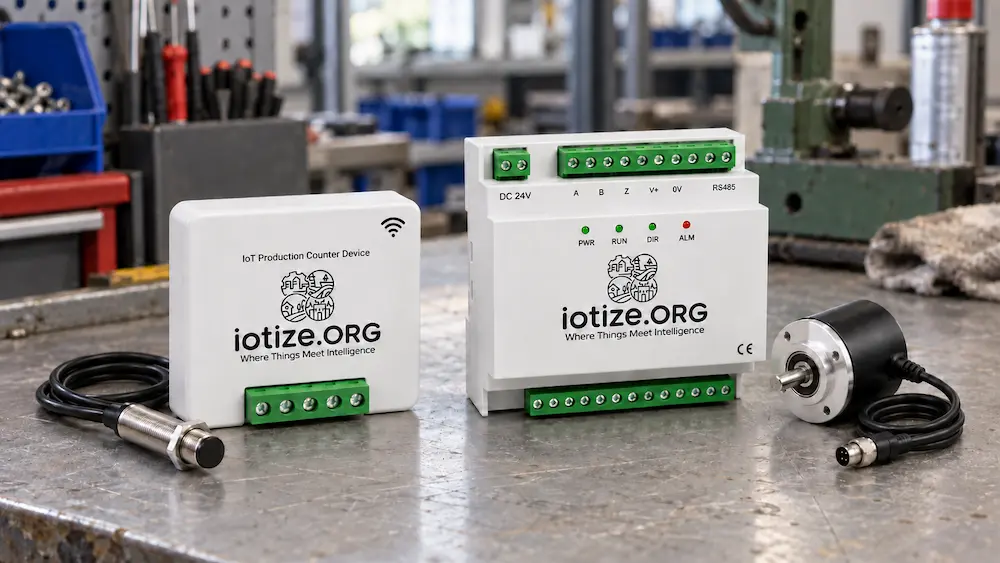
The useful number is the one you can explain
Ultimately, an embroidery counter becomes valuable when a supervisor can say what each event means, how active needles affect the estimate, and where human quality checks enter. Start with one machine, one defined job and a count the operator can verify. Then use the result to decide whether the next gain is better runtime visibility, more accurate stitch estimates, or a reliable accepted-output log.
Ask IoTize to assess a one-machine pilot. Send the machine make and model, controller details, desired output unit (such as stitches, metres, or pieces), typical operating speed, and a clear photo of the proposed sensing area taken while the machine is safely stopped. Also say whether you need direction tracking and how operators currently record completed and rejected work. These details help define a useful first measurement and the engineering scope.
Read Next: Production Monitoring for Pakistani Factories
Start with a count your operator can verify
Send the machine model, controller details, output unit and sensing-area photo to scope a one-machine pilot.
Frequently asked questions
Can one sensor count every stitch on a Schiffli machine?
A correctly mapped sensor may count machine stitch cycles. To estimate stitches across the fabric, you also need the number of engaged needle positions for each relevant interval. The sensor alone cannot verify every stitch formed correctly.
Is one shaft rotation always one embroidery stitch?
No. The relationship depends on the machine drive and the chosen sensing point. Confirm it against the machine’s own count during a controlled job, including jog, stops and restarts.
Why does the active needle count matter?
Multiple positions can work in the same cycle. A design using every needle has a different aggregate stitch estimate from one using every second or third position, even when the cycle count is equal.
Can a production counter tell us how many good panels we made?
Only if a validated completion signal and quality decision are also captured. Counting machine motion does not inspect finished fabric.
Should we reuse the machine’s existing sensor?
Only after checking its purpose, signal type, timing and whether sharing it could disturb the original control. A dedicated sensor may be appropriate where those checks cannot be satisfied.
How do we track OEE on an embroidery machine?
Define planned production time, run time, a job-specific ideal rate, and first-pass good versus total output. Keep the units consistent and record rework separately. A second counter can record inspected rejects if batch matching and counting are reliable, but motion sensing alone cannot determine stitch quality.
Does reverse shaft motion mean rejected embroidery?
No. It indicates direction at the sensing point. A controller may use different movements for stitch-back, recovery or setup. Test the specific machine before linking direction to design progress or quality.
Does a higher-resolution encoder solve the output problem?
It can improve motion and direction measurement. It cannot determine active needles, completed panels or stitch quality without additional job context and verification.
Can a counter measure fabric length?
Yes, with a validated length-measurement arrangement such as a calibrated measuring wheel and encoder. Check slip, effective circumference and reverse travel. Do not treat arbitrary shaft rotations or embroidery-frame travel as finished fabric length.
Products: Affordable counter · Enterprise counter
Solution: Production monitoring
From the blog: Visit the IoTize blog →