

Technical Reviewer: Zia ur Rehman
15+ years in embedded systems and industrial IoT · Reviewed
Your machine counter says 1,200 units. The shift target was 1,400. Is your OEE 86%? No. That comparison tells you something about output against a target, but it does not establish how much production time was available, how fast the machine ran when it was running, or how many units passed inspection.
That distinction matters when you are choosing a production counter for OEE monitoring. Counting is an excellent place to start. It makes lost time and missed output visible while there is still time to act. But if a dashboard calls a count-based estimate “full OEE” without a quality input, its neat percentage can hide the very losses you need to fix.
A production counter alone cannot provide full OEE from total output and motion. It can support Availability and Performance when timing and product settings are correct. Quality needs first-pass good or rejected-unit data, which can come from inspection records or a separate counter on a reliably sorted output path.
Start with the three OEE factors
Overall Equipment Effectiveness (OEE) = Availability × Performance × Quality. These factors answer three different questions. Vorne’s OEE calculation guide defines them this way:
| Factor | Calculation | What you need beyond a raw count |
|---|---|---|
| Availability | Run time ÷ planned production time | A production schedule and a dependable way to classify run and stop time. |
| Performance | Ideal cycle time × total count ÷ run time | A validated total-unit count, run time, and the ideal cycle time for the product or recipe being made. |
| Quality | Good count ÷ total count | Inspection results, a reject count, or another trustworthy good-unit record. |
For one product with a consistent ideal cycle time, you can also calculate the overall score directly: OEE = Good count × Ideal cycle time ÷ Planned production time. This includes quality through the good count, but does not show the separate Availability and Performance losses. Use consistent time units in every calculation, and treat a zero denominator as undefined rather than displaying a misleading percentage.
A raw pulse count is not automatically a unit count. One shaft rotation might produce one unit, several units, or none during setup. First define the physical event, then test the conversion against actual finished output. If a machine changes products, its ideal cycle time and count conversion may change too.
What the counter tells you about Availability
With a validated machine-state signal, timestamps, and a defined stop threshold, you can identify run and stop periods. Compare run time with planned production time, the time when you intended to produce. Exclude a break only if production was not intended during that break. A planned changeover within production time normally remains an Availability loss.
However, motion alone cannot tell you why a stop happened. A machine could be waiting for material, undergoing a changeover, or stopped for maintenance. Operators or another system must add reason codes if you want to rank those causes. The threshold also matters: a brief pause may count as a small stop under Performance rather than an Availability stop.
Keep small stops assigned to Performance within the run-time denominator; do not also subtract them as Availability downtime. Agree on the rule before comparing shifts.
Also, missing data is not proof of a stopped machine. A sensor fault or lost connection needs a separate unknown-data status unless reliable local records can reconstruct what happened. Validate setup motion, empty cycling, and naturally long cycles against the actual process before labeling motion-derived time as production run time.
What the counter tells you about Performance
When the pulse-to-unit conversion is accurate, total output and run time reveal the actual production rate. Compare that with the ideal cycle time, the fastest achievable cycle under optimal conditions for that product and process. You can then estimate Performance and identify slow running or repeated short interruptions.
Do not substitute a sales target or an easy-to-hit budget speed for ideal cycle time. A loose standard makes Performance look artificially healthy. A reading above 100% is usually a signal to review the ideal cycle time or the count conversion, rather than a reason to celebrate.
The missing factor: a pulse cannot inspect a product
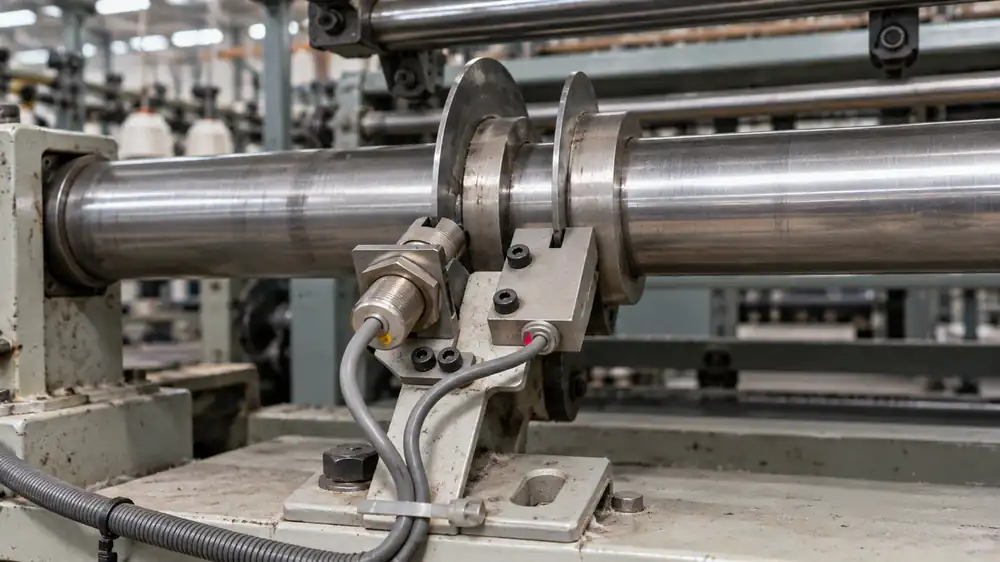
The Quality factor asks how many counted units were good on their first pass. An inductive proximity sensor watching a shaft detects metal passing its face. An encoder detects shaft position and direction. Neither inspects a carton seal, stitch quality, dimensions, or electrical test result merely because the machine turned.
That is the central limit of a counter-based OEE claim. Suppose two identical shifts each count 1,200 units with the same run time. One passes 1,188 units and rejects 12; the other passes 1,080 and rejects 120. Their Availability and Performance can match, but their Quality factors are 99% and 90%. Calling both shifts equally effective would hide a significant difference.
You can close the gap with manual inspection records, pass/fail signals from an inspection station, or a validated link to existing quality or MES records. These are system-design options, not a claim that every counter includes these features. Record outcomes against the correct batch or production period, and leave Quality pending while units await inspection.
Can separate total and reject counters supply Quality?
Yes. One counter can record total completed units before sorting, while another counts rejected units on a separate reject path. Inspection decides which units fail; the second counter records those already identified as rejects. Sepasoft’s production-counter documentation describes using multiple production counts in OEE systems.
- Total completed units before rejection: 1,000
- Rejected units, including units needing rework: 50
- First-pass good count: total minus rejects: 950
- Quality: 950 ÷ 1,000: 95%
Alternatively, separate counters on accepted and rejected paths can supply total = accepted + rejected, provided every unit reaches exactly one path on its first pass. A rejected unit that later passes rework must not become a new first-pass good unit in the original batch calculation.
For either arrangement, validate these details:
- Count the unit, not just the actuator. A reject-gate movement may divert zero, one, or several pieces. Confirm actual rejected-piece passage or a verified one-unit-per-signal relationship. – Cover every route. Include manual removals and other rejection points. A reject chute cannot count defects removed elsewhere.
- Match the same batch and units. Allow for travel time and work in progress between the total and reject counting points. Do not subtract rejected pieces from unconverted shaft rotations. – Choose a suitable sensor and electrical interface. Counting cardboard or fabric directly may call for a photoelectric sensor or an inspection-system signal.
An inductive sensor aimed at the product will not detect those materials as it would metal. Confirm compatibility with the selected counter. – Reconcile the records. Check both counters against inspected totals, and account for resets, duplicate pulses, outages, and rework recirculation.
Once these counts are reliable, they provide the Quality input. Planned production time, run time, and the product’s ideal cycle time complete the three-factor OEE calculation. Adding counters alone does not create an inspection process or configure the software that combines their data.

A worked example: why “we counted 900” is not full OEE
Imagine an eight-hour shift with a 30-minute excluded break. That leaves 450 minutes of planned production time. The machine stops for 90 of those minutes, so its run time is 360 minutes. Its validated ideal cycle time is 0.3 minute per unit, and the counter records 900 total units. Inspection later confirms 855 good units.
- Availability: 360 ÷ 450 = 80%
- Performance: 0.3 × 900 ÷ 360 = 75%
- Quality: 855 ÷ 900 = 95%
- OEE: 0.80 × 0.75 × 0.95 = 57%
One shift, three factors
Calculated from the illustrative shift above. Not a customer result.
Before inspection, the first two factors multiply to 60%. That is Availability × Performance, sometimes useful as a provisional view of time and rate loss. It is not a 60% OEE score. Only after the 45 rejected units are recorded can the shift’s full OEE be calculated as 57%. The example is illustrative, not a result from an IoTize installation.
Choosing a production counter for OEE monitoring
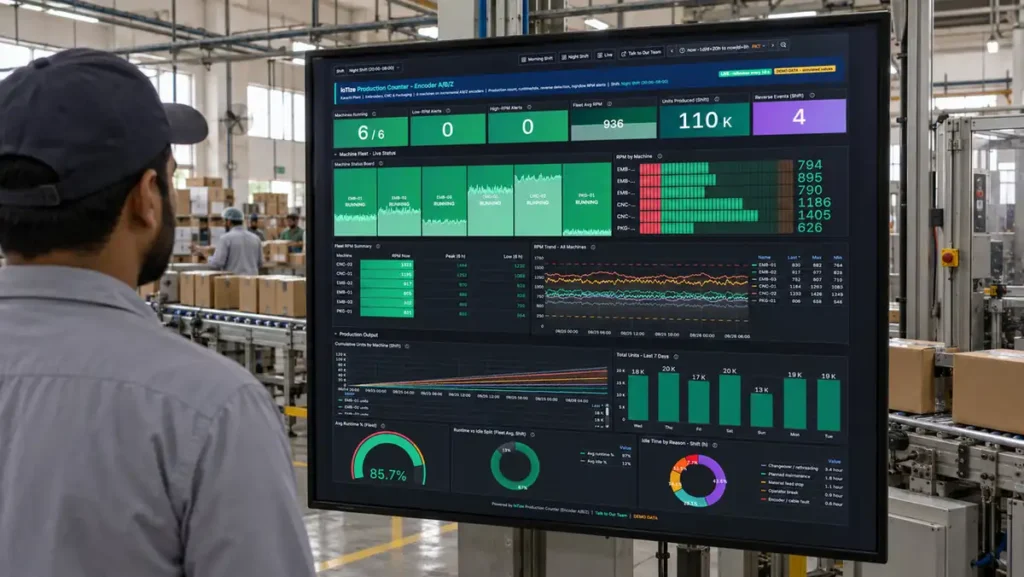
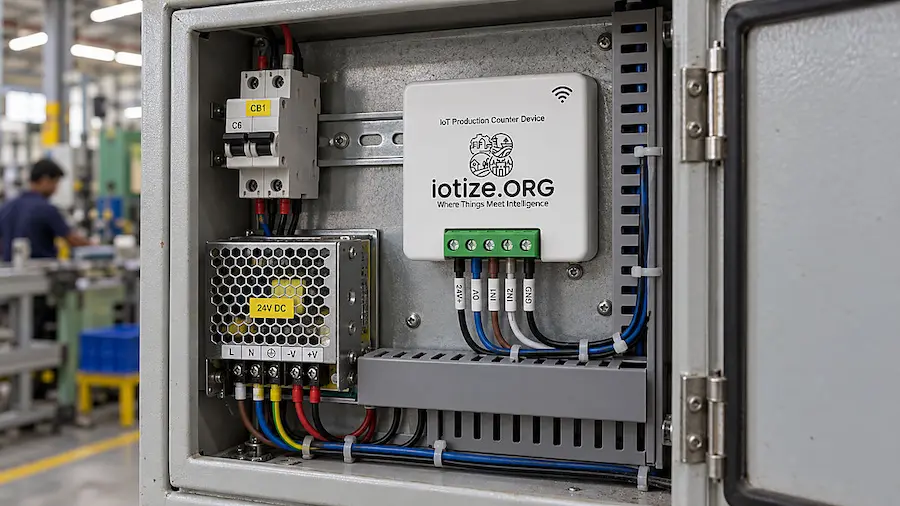
IoTize describes two production counter options. The IoT Production Counter Device is described for shaft-based Hall or proximity input, output, runtime and idle tracking, and RPM alerts. It suits a counting point where the motion-to-unit relationship is simple and can be validated.
The Enterprise IoT Production Counter Device is described for incremental encoder A/B/Z input, higher-resolution counting, direction detection, and integration with operational systems. Consider that approach when reverse motion or a more complex mechanical conversion could otherwise inflate a raw count. In either case, machine movement is not a substitute for inspection data. Confirm device configuration, deployment scope, and current readiness with the IoTize team for your machine.
IoT Production Counter Device
Hall or proximity input for output, runtime, idle time and RPM alerts.
View Product →Enterprise IoT Production Counter Device
Encoder A/B/Z input, direction detection and operational-system integration.
View Product →IoTize’s current production counters supply machine-count and activity data; they do not inspect defects or automatically establish product quality. A total-plus-reject counter arrangement is a possible configuration to scope. The inspection method, compatible inputs, and software needed to combine the counts must be agreed for the pilot. Do not assume built-in quality entry or a ready-made multi-counter OEE calculation.
For a useful pilot, ask five concrete questions:
- What exactly is one unit? Point to the completed event and check the counter against manual totals during several normal runs. 2. What time was production planned? Define shifts, breaks, changeovers, and the stop threshold before calculating Availability. 3. What is the ideal cycle time? Keep it tied to the actual product or recipe, especially when jobs change. 4.
Where is quality decided? Record first-pass good and rejected units against the same batch, machine, and time window. 5. What will a supervisor do with each signal? Show live count and stop history during the shift; show full OEE only when the necessary inputs exist.
The next practical decision is often how to turn machine movement into a valid output unit. Embroidery and textile equipment make that especially important because shaft revolutions, stitches, cycles, and finished pieces are different things. Continue with Counting Output on Embroidery and Textile Machines. when that post is live.
Want to find out what your machine can measure? Send IoTize a machine photo and a short description of one completed unit. Include your shift schedule, whether the machine reverses, and how you currently identify and record rejects. If you already have a separate reject path or inspection signal, mention it.
Together, those details define what to assess in a one-machine production-monitoring pilot: the count source, any additional reject counter, the timing rules, and the required data integration. Explore the IoTize production monitoring approach to see the available counter options.
Find the right count for your machine
Send a machine photo, define one completed unit, and explain how you record rejects. Together, we can scope the inputs for a one-machine pilot.
Frequently asked questions
Can a production counter calculate OEE by itself?
Total-output pulses alone cannot establish OEE. A counter system can calculate OEE when it receives the necessary quality data and timing settings. The limitation is missing inputs, not the word “counter” on the device.
What data is needed to calculate OEE?
For the three-factor breakdown, use planned production time, run time, ideal cycle time, total count, and first-pass good count. For a single product, the overall score can also be calculated directly from good count × ideal cycle time ÷ planned production time.
Can two counters measure the Quality factor?
Yes. A validated total-output count and a reject count give good count = total minus rejects. Inspection must identify the rejects first, and both counters must refer to the same units and batch. Account for rework, other removal routes, and travel time between counting points.
Does IoTize’s counter inspect quality automatically?
No. Its counting sensor does not inspect defects. A separate reject or accepted-unit counter can contribute quality data after inspection separates the pieces. For an IoTize pilot, the inputs and software that combine those counts need to be scoped; this is not a claim of an existing automatic quality workflow.
Can a production counter measure Availability?
It can support Availability when its signal reliably distinguishes running from stopped, and you add the planned production schedule and stop classification. A count total without timestamps cannot establish run time.
How does a counter help calculate Performance?
Use a validated total-unit count, measured run time, and the correct ideal cycle time for the product. Divide ideal production time, which is ideal cycle time multiplied by total count, by run time..
Why can’t a proximity sensor tell whether a unit is good?
An inductive proximity sensor detects a suitable metal target moving past it. Unless the process deliberately provides a separate validated pass or reject signal, that motion says nothing about whether the completed unit meets specification.
Can I use a reject count entered manually?
Yes, if the team records rejects consistently against the correct batch or shift. Then good count can equal total count minus rejects, provided your definition also handles rework and any units awaiting inspection.
Is Availability multiplied by Performance the same as OEE?
No. It leaves out Quality. Label the two-factor result clearly and avoid presenting it as full OEE or silently assuming every unit was good.
What if my machine makes several product types in one shift?
Track each product run with its own validated ideal cycle time and count conversion. Combine the underlying counts and times across runs rather than averaging their OEE percentages.
Products: Affordable counter · Enterprise counter
Solutions: Production monitoring · Predictive maintenance · Energy monitoring
From the blog: Visit the IoTize blog →