

Technical Reviewer: Zia ur Rehman
15+ years in embedded systems and industrial IoT · Reviewed
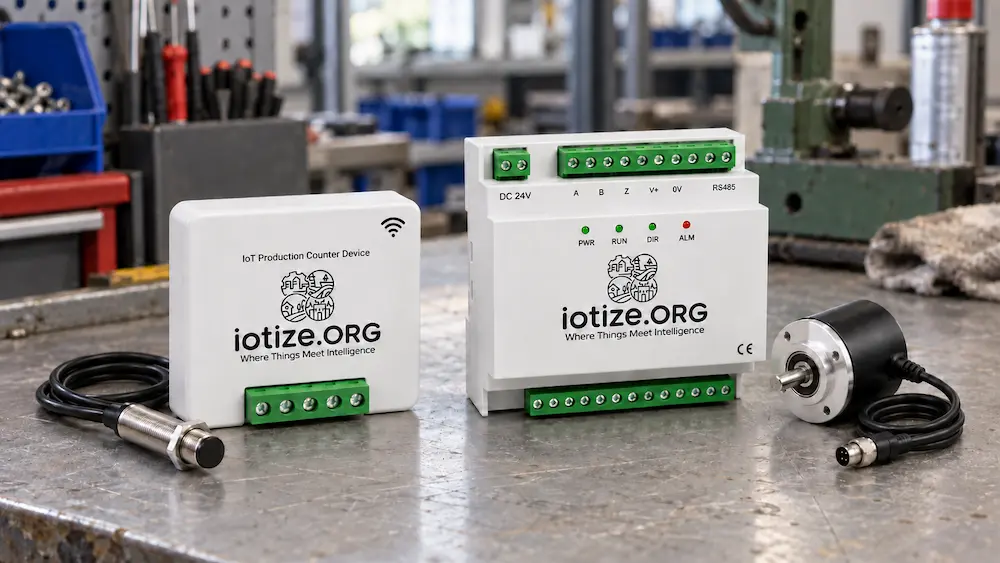
Your machine runs all afternoon. The counter climbs. Then the shift report disagrees with the number of parts in the finished-goods bin.
The sensor may have counted every pulse correctly. The problem could be what those pulses represent.
A production counter sensor detects an event related to production and supplies a signal to a counter. The installation and counting rule determine whether that signal represents cycles, pieces, or material travel.
Choosing the sensor starts with one question: which physical event proves that production has happened? An inductive proximity sensor can track a metal target passing a fixed point. An incremental encoder can track shaft movement in much finer steps and reveal its direction. Neither automatically knows whether a finished part passed inspection.
If you are comparing a proximity sensor vs encoder for a factory retrofit, focus on the motion, the mounting point, and the counting rule. That combination determines whether the number helps your team or creates another figure to dispute.
Quick answer: Choose an inductive proximity sensor for straightforward, repeatable events or shaft rotations when direction is not required. Choose an A/B incremental encoder with a compatible counter when reverse motion or finer movement measurement matters. First confirm that the measured motion has a dependable relationship to output.
Start with the event you actually want to count
Before choosing hardware, write down your required unit: machine cycles, individual parts, metres of material, or accepted finished products. These are different measurements.
For example, a packaging shaft might complete one revolution per machine cycle. However, an empty cycle still turns the shaft. Likewise, a four-cavity process may produce fewer than four acceptable parts when one cavity fails.
Use this simple check:
- If every cycle produces one unit, a cycle-related signal may be enough.
- If each cycle produces several units, apply a validated units-per-cycle multiplier.
- If the machine can run empty, add a way to distinguish productive cycles or count the actual output.
- If material can slip on a roller, shaft movement alone may misrepresent material travel.
- If you need good output, include inspection or reject data in the counting method.
As a result, the best sensing point may sit at the discharge point rather than the main drive shaft. For nonmetallic finished items, a suitable photoelectric sensor may deserve consideration outside this two-option comparison.
What inductive proximity sensor counting actually measures
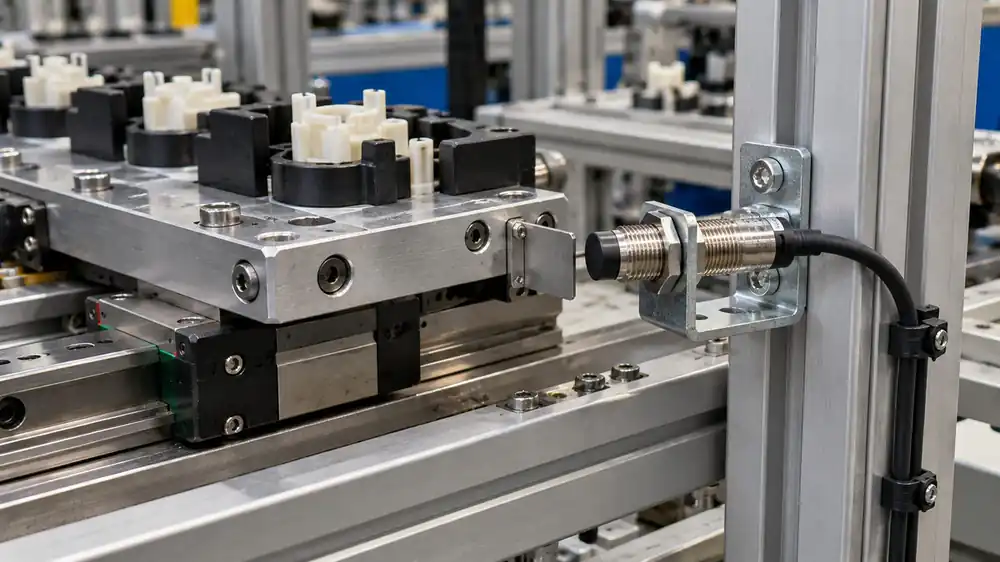
An inductive sensor detects metal near its sensing face without physical contact. In a shaft-counting installation, a metal target passes that face as the shaft turns. The counter records the resulting pulses.
However, a smooth metal shaft may remain continuously detected as it rotates. To generate pulses, the sensing point needs a changing metal target, such as a suitable tooth, cam, flag, or marker. The target must enter and leave the detection zone cleanly. Confirm how many pulses it creates per revolution.
Counting conversion
With one target and one counted pulse per revolution, use:
Estimated units = recorded count events ÷ configured count events per measured-shaft revolution × units per measured-shaft revolution.
Use the same decoding basis in the numerator and denominator. For an encoder, account for the configured x1, x2, or x4 decoding mode. If you measure a different shaft from the production mechanism, include the gear ratio in the conversion.
Suppose a machine produces two units per shaft revolution. If the sensor provides one pulse per revolution, 600 pulses represent 1,200 estimated units, provided every cycle genuinely produces those two units. This is an illustrative calculation, not a measured production result.
Importantly, a proximity sensor is not restricted to counting rotations. It can also detect discrete metal parts passing a suitable sensing point. The installation defines the meaning of the pulse.
Where a proximity sensor makes sense
Choose this route when the event is clear, the target passes reliably, and the process does not require direction information. It can suit a simple cycle counter or an uncomplicated shaft retrofit.
However, one ordinary on/off proximity signal does not identify forward versus reverse motion. The target can pass the same sensor in either direction and generate another pulse. More metal targets increase the pulse rate, but they do not by themselves add direction information.
This is the application territory to discuss for IoTize’s Affordable Series counter: simple motion-derived counting, with the machine’s behaviour checked first.
What an encoder adds
An incremental rotary encoder provides pulses as its shaft moves. Compared with one target per revolution, it can divide that revolution into many smaller steps.
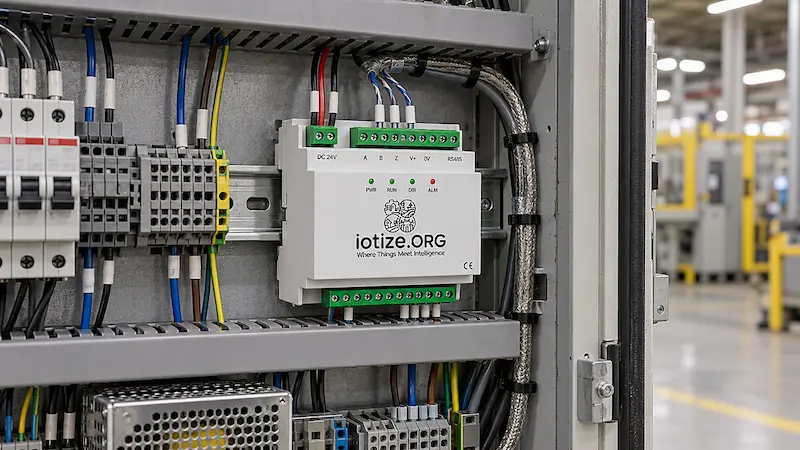
For direction-aware counting, the important signals are A and B. Their relative timing lets a compatible counter determine direction. The Z signal commonly supplies a once-per-revolution reference; it is not what makes direction detection possible. OMRON’s rotary encoder guide explains the A/B timing principle.
Therefore, an encoder A/B/Z production counter can support applications where reverse movement must be recognised, as well as finer motion measurement. But the counter must support the encoder’s electrical output and the required decoding mode.
Resolution is not the same as finished-product accuracy
More pulses give finer movement information. They do not prove that a product exists, remove roller slip, or identify rejects.
For instance, a precisely measured feed roller can still turn against slipping material. Similarly, an encoder on a drive motor may measure motion upstream of backlash or a disengaged mechanism.
Choose the measurement point before choosing the pulse resolution. Then decide how the counter converts that movement into the unit you need.
Proximity sensor vs encoder: the practical comparison
| Decision | Single inductive proximity signal | Incremental encoder with A/B decoding |
|---|---|---|
| What it detects | Metal target presence and repeated passages | Shaft movement in increments |
| Direction | Unavailable from one signal alone | Available from A/B relationship |
| Detail per revolution | Target count and geometry | Encoder resolution and decoding |
| Mechanical work | Target, bracket, sensing gap | Shaft connection, alignment, mounting |
| Electrical work | Match output and counter input | Match voltage, channels, output and bandwidth |
| Main counting risk | Reverse pulses, chatter, missed targets | Scaling, slip, or input-rate mismatch |
| Finished-good count | Validate against accepted output | Validate against accepted output |
| Installed cost | Scope the full sensor retrofit | Check existing encoder or new installation |
Not sure which signal represents actual output on your machine? send your sensing point and counting requirement to discuss the right approach.
Reverse motion: decide what the counter should do
Reverse detection matters when a machine backs up for positioning, jam recovery, or rework. Yet detecting reverse movement is only the first step. The business rule decides what happens to the total.
Consider an illustrative shaft movement of ten revolutions forward and two backward:
- Total shaft travel: Twelve revolutions of movement.
- Net displacement: Eight revolutions forward.
- Forward travel only: Ten revolutions forward, with reverse tracked separately.
- Finished production: Cannot be established from those movements alone.
A simple pulse total may increase during both movements. An A/B decoder can separate direction, but your system still needs a defined rule for subtracting, ignoring, or separately recording reverse travel.
Do not automatically subtract two finished products because the shaft turned backwards twice. Those products may already have left the machine. Instead, define the behaviour around your actual process and validate it during commissioning.
Also, “only encoders can detect direction” would be too broad. Two suitably arranged sensors with appropriate logic can provide direction information. Here, the comparison concerns one ordinary proximity pulse channel versus an A/B encoder arrangement.
Mounting and wiring: what changes on the machine?
Proximity sensor: keep the target relationship stable
Use a rigid bracket and protect the sensor from collision. Then check the working gap, target material, target size, and clearance from nearby metal against the selected sensor’s instructions.
A sensor that just works when the machine is stationary may miss targets once vibration or shaft movement changes the gap. OMRON’s proximity sensor engineering guidance shows why target size and material affect detection distance.
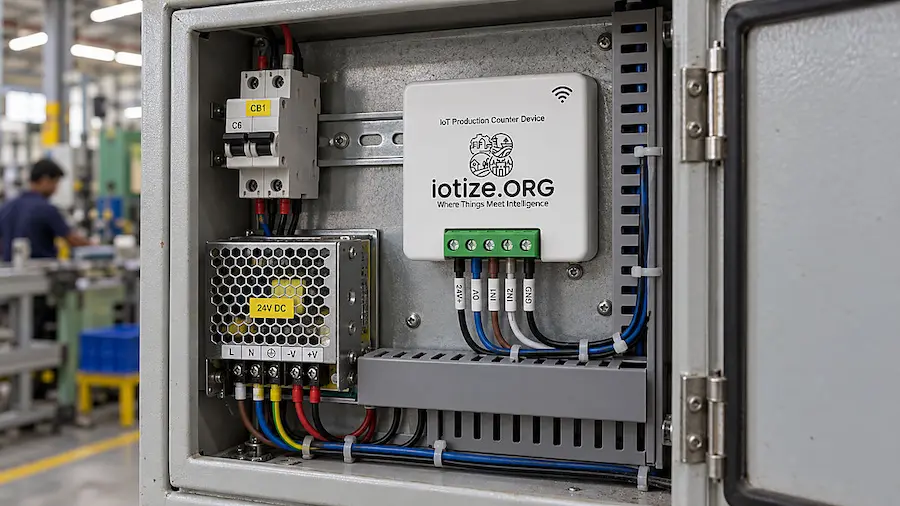
For wiring, confirm the supply voltage, NPN or PNP output, normally open or normally closed behaviour, and counter input requirements. A connector that fits does not establish compatibility.
Encoder: protect alignment and signal integrity
For a solid-shaft encoder, use a suitable coupling and support its housing correctly. Avoid using the encoder shaft to carry loads it was not designed to support. Other encoder styles, such as hollow-shaft models, have different mounting requirements.
Next, check the output interface. Single-ended outputs and differential line-driver outputs require compatible receiving circuits. Follow the equipment documentation for cable shielding, routing, grounding, and termination.
If you plan to reuse a machine’s encoder, do not assume you can simply parallel another input onto it. Have the machine supplier or a qualified controls engineer confirm loading and interface compatibility; a suitable signal splitter or isolated interface may be needed.
Accuracy at speed: check pulses per second
An RPM figure alone is not enough to select a sensor and counter. First work out how many pulses arrive every second.
Pulse frequency in hertz = RPM × pulses per revolution ÷ 60.
For illustration, at 1,200 RPM:
- One target per revolution produces 20 pulses per second.
- Twelve targets per revolution produce 240 pulses per second.
- An encoder rated at 1,000 cycles per revolution per channel produces 20,000 cycles per second on each A/B channel.
If the counter decodes all four A/B edges, the last example creates 80,000 count events per second. Check how each manufacturer defines PPR, CPR, frequency, and its maximum counting rate. These terms do not always describe the same quantity.
For a proximity sensor, check both response frequency and target passage timing. A narrow target can create a short on-time even when the average pulse rate seems modest. OMRON’s response-frequency explanation identifies repeated detection rate and response time as selection factors.
Then check the whole chain: sensor output, counter input, filtering, and software behaviour. Excessive input filtering can reject legitimate short pulses. Too little filtering can leave a noisy installation vulnerable to false counts.
Finally, test at the fastest expected production speed and during starts, stops, and jogging. A correct calculation is the starting point; a comparison with actual output establishes whether the installation works.
Which IoTize production counter fits?
Affordable Series: discuss a straightforward pulse-counting retrofit
The Affordable production counter lists Hall or proximity input, motion-based unit counting with a preset multiplier, runtime and idle tracking, and RPM alerts. Its listed device price is US$80. Confirm the configuration and delivery scope with IoTize.
Hall sensing is a separate option and requires a suitable magnetic arrangement. Therefore, confirm the target and input type before installation.
Consider it when a clear pulse-to-output relationship exists and direction is not part of your measurement requirement. Reverse detection is not documented on its current product page, so confirm any direction-dependent application with IoTize before selecting it.
Enterprise Series: discuss direction-aware encoder counting
The Enterprise production counter lists encoder input and forward/reverse detection. It is the relevant option to evaluate when your counting method needs direction information.
Request a configuration-specific quote. Confirm the encoder interface, pulse rate, decoding mode, scaling, and reverse-count behaviour for your application.
Compare the installed scope
The device price is only part of the decision. Ask what the proposal includes:
- Sensing hardware: proximity sensor and target, or encoder and coupling.
- Installation: brackets, protection, cabling, power, and panel work.
- Configuration: pulse scaling, reverse rules, and runtime/idle thresholds.
- Data access: dashboard, integration, hosting, or licence scope where applicable.
- Acceptance testing: comparison with real production at operating speed.
An existing compatible encoder may reduce mechanical work. Conversely, adding one to a crowded shaft may make a simple proximity retrofit more practical. Choose the least complex arrangement that measures the right event reliably.
For either option, confirm current build status, availability, included components, and delivery timing with IoTize for the proposed configuration.
Affordable IoT Production Counter
Hall or proximity input for motion-based counting, runtime, idle time, and RPM alerts. Confirm the configured sensing point and scope.
View Product →Enterprise IoT Production Counter
Encoder A/B/Z input, forward and reverse detection, runtime, idle time, and RPM alerts. Confirm interface and counting rules.
View Product →Prove the count on one machine
Before extending the setup across a production area, agree on what a successful single-machine trial must demonstrate.
Runtime inferred from pulses means the monitored mechanism is moving under the configured rule. It does not by itself prove productive cutting, filling, or processing. A missing pulse may mean a stop, a slow cycle, or a sensing fault. Therefore, validate the idle threshold and fault handling against the machine’s normal behaviour.
- Define the reported unit. State whether the total means cycles, estimated pieces, length, or inspected good pieces.
- Validate the multiplier. Compare a known production batch with the recorded pulses and resulting total.
- Test awkward conditions. Include empty cycles, reverse jogging, stoppages, and normal speed changes where applicable.
- Check downtime interpretation. Confirm when a lack of pulses becomes “idle” and how slow cycles behave.
- Check continuity. Verify what happens after a power interruption or a network outage, including count retention and later reporting.
Agree on an acceptable count difference before the trial. Then record the result against the same time window and the same definition of output. Otherwise, two correct measurements can still appear to disagree.
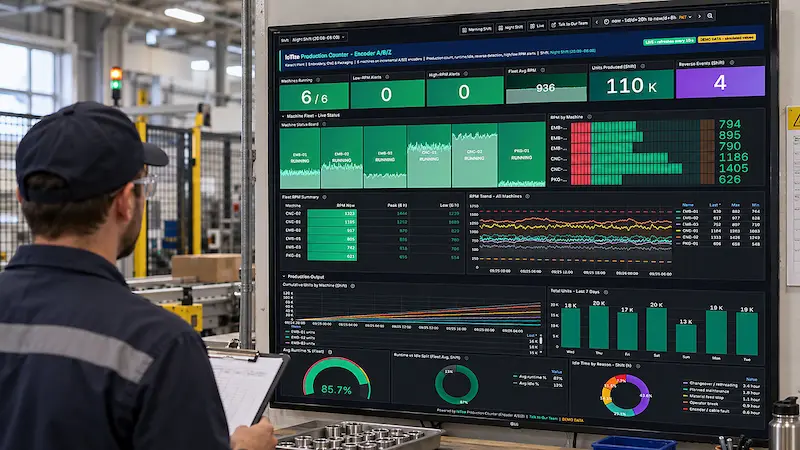
Choose a production counter sensor for your machine
If you need a dependable count from a clear, one-direction event, a proximity sensor may meet the requirement with modest installation work. If direction or finer motion detail changes the decision, evaluate an encoder and compatible counter.
However, a trustworthy output figure starts with a trustworthy definition of output. It also needs commissioning that covers the way operators actually use the machine.
Want to check which arrangement fits your machine? send your machine details. Include the machine type, a photo of the proposed sensing point, maximum shaft speed, whether it reverses, and what one completed unit means. If an encoder already exists, include its model number and data sheet.
That gives the discussion a useful starting point: the sensing method, the counting rule, and the scope of a single-machine evaluation. Explore production monitoring solution for the wider monitoring approach.
Read Next: What a Counter Can and Cannot Tell You About OEE. A counter can contribute production and motion data, but full OEE also needs the relevant time, ideal-cycle, and quality information.
Choose the signal that represents your output
Share your machine, sensing point, speed, reverse behaviour, and definition of a completed unit for a single-machine application review.
Frequently asked questions
Can a proximity sensor detect direction?
One ordinary on/off proximity signal cannot determine direction by itself. A two-sensor arrangement with suitable logic can, while an incremental encoder provides A/B signals for that purpose. Confirm which arrangement the counter supports.
Does an inductive proximity sensor count only rotations?
No. It detects nearby metal. You can use that signal to count shaft targets, machine events, or individual metal parts, depending on the mounting and counting logic.
How do you convert shaft rotations into production count?
Divide the counted pulses by the effective pulses per revolution, then multiply by units per revolution. First verify that the relationship holds during actual production. Empty cycles, rejects, slipping material, and changing tooling can invalidate a simple multiplier.
Is an encoder more accurate than a proximity sensor?
An encoder can provide finer movement resolution and direction information. However, a correctly installed proximity sensor may count a simple event reliably. Neither guarantees finished-product accuracy without the right measurement point and counting rule.
What do A, B, and Z mean on an encoder?
A and B are pulse channels whose relative timing indicates movement direction. Z commonly provides a once-per-revolution reference. The counter must support the encoder’s signals and configured counting mode.
Can I connect a production counter to an existing machine encoder?
Possibly, after checking the encoder output and the receiving inputs. Confirm voltage, signal type, loading, and bandwidth with the machine supplier or a qualified controls engineer. Do not assume that a direct parallel connection is suitable.
Does the Affordable IoTize counter support reverse detection?
Its checked product page does not document that feature. For an application that needs direction, discuss the Enterprise encoder-input model and confirm its configured behaviour with IoTize.
Can either method measure OEE by itself?
Neither sensor alone supplies every input needed for full OEE. Counting and motion data can contribute, but the calculation also requires the appropriate production-time, ideal-cycle, and quality data. The next cluster post explains those boundaries.
Products: Affordable counter · Enterprise counter
Explore: Production monitoring solution
From the blog: Visit the IoTize blog →